Download Keina Desktop
Launching on macOS first (under 55 MB native app) with Windows coming soon—fast to install with background browser setup on first launch.
- File
- Keina-1.0.0-rc.1-arm64.dmg
- Size
- 51.4 MB
- Min OS
- macOS 14 Sonoma+
- SHA-256
- Published with final .dmg
Signed and notarized with Apple Developer ID. Background stealth browser sets up silently on first launch.
- File
- Keina-1.0.0-rc.1-x64.dmg
- Size
- 53.8 MB
- Min OS
- macOS 14 Sonoma+
- SHA-256
- Published with final .dmg
Signed and notarized with Apple Developer ID. Background stealth browser sets up silently on first launch.
- Installer
- .exe / .msi (in progress)
- Min OS
- Windows 10 / 11 (64-bit)
- Runtime
- Native Client + Built-in Stealth Browser
- Workspace
- Shared squad & 1:1 isolation model with macOS
Calibrating the Windows desktop shell and isolated browser runtime. Progress posts in the changelog ahead of release.
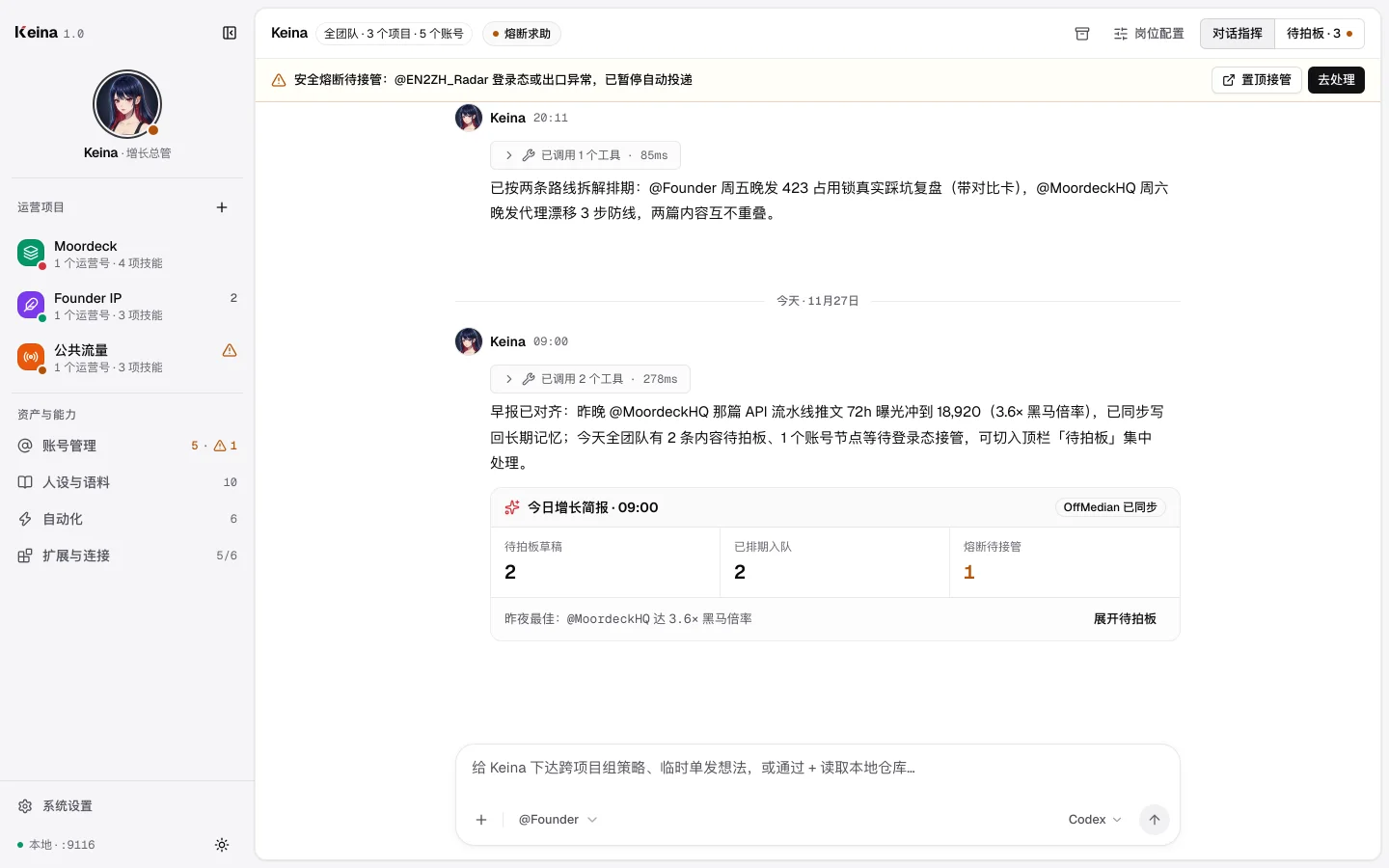
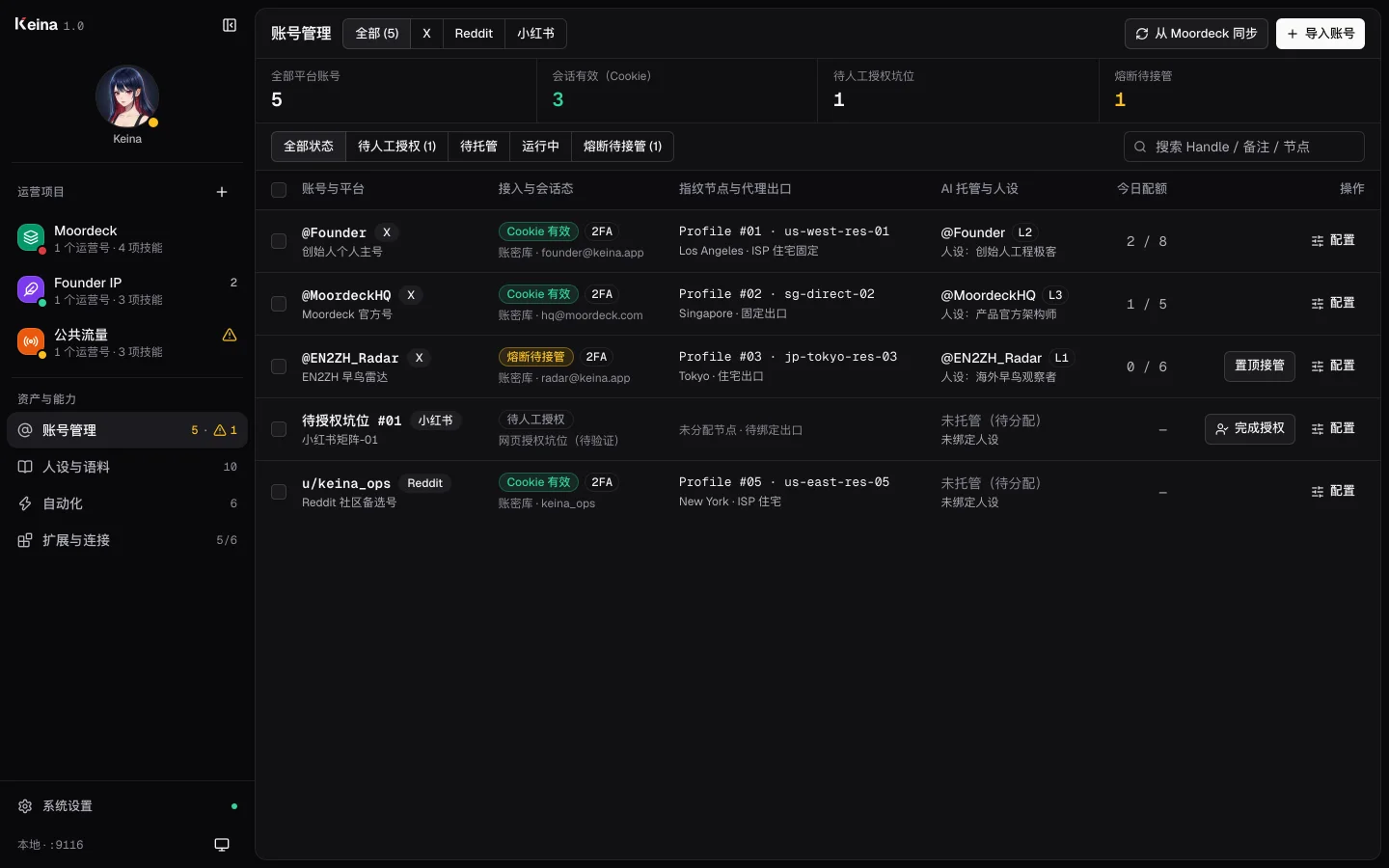
brew install --cask keina-app/tap/keinaInside the Keina 1.0 macOS Desktop App
Native desktop shell connected to local SQLite storage and isolated stealth browser profiles.

Ready to run in 3 quick steps
Connect a Model
Paste an API key or auto-detect local gateways, Codex CLI, or Claude Code already on your machine.
Silent Browser Setup
Keina quietly prepares and verifies its isolated browser runtime in the background without blocking startup.
Link Handles, Mailbox & Repo
Attach your first X handle, direct IMAP/SMTP mailbox, and optional read-only Git repo—drafts, visuals, and inbox triage start right away.
Platform & Surface Roadmap
| Platform | Architecture | Runtime Layer | Status |
|---|---|---|---|
| macOS (Apple Silicon) | arm64 | Native macOS App + Built-in Stealth Browser | v1.0 Preview |
| macOS (Intel) | x64 | Native macOS App + Built-in Stealth Browser | v1.0 Preview |
| Windows Desktop | x64 | Native Windows App + Built-in Stealth Browser | Coming Soon |
| Linux Desktop | x64 / arm64 | Native Linux App | Planned |
| Web Workspace (keina.app/app) | Browser | Web Dashboard + Team Approvals | Post-Desktop |
Installer & Runtime Verification
- macOS builds are signed and notarized with Apple Developer ID for clean Gatekeeper launch
- Resumable background browser downloads verified with cryptographic signatures and SHA-256
- Safe archive extraction with strict path-boundary and file-integrity checks
- Local database stays inside your local user data directory with 1-click backup